Brother MFC-J6520DW Professional Colour Inkjet Multifunction - Good-as-New
- Model #:
- RMFCJ6520DW RMFCJ6520DWBrother
The MFC-J6520DW is packed with business features like fastest-in-class print speeds and low-cost printing, along with printing, copying, scanning and faxing up to 11"x17". See full product description
Product Description
Prints, copies, scans, and faxes up to 11" x 17". Easily connect to Ethernet or wireless network, plus print from or scan to compatible mobile devices. Includes free Brother Cloud Apps, plus the ability to scan to or print from popular web services3 via Web Connect from the intuitive 2.7" Colour TouchScreen Display with TouchPanel. Built-in 2-sided printing helps save paper, fast print speed helps improve productivity. Landscape Print Technology helps reduce machine's footprint. Business-friendly 250-sheet capacity paper tray. Super high yield replacement ink cartridges help reduce printing costs. Free support for the life of the product.
To learn more about the 'Brother MFC-J6520DW Professional Colour Inkjet Multifunction - Good-as-New', download the brochure here.
Main Features
- Print copy scan and fax up to 11" x 17" for high impact business documents
- 2.7" TouchScreen colour LCD display plus TouchPanel. Only shows the keys you need
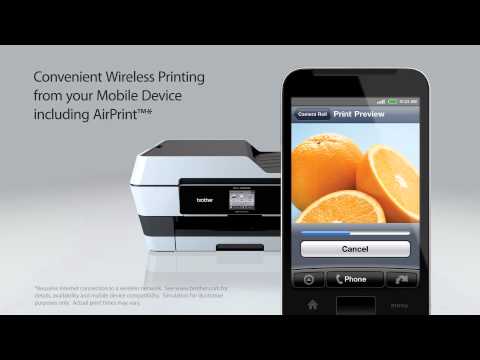
- Mobile device printing via Air Print™ Google Cloud Print™ Brother™ iPrint&Scan and Wi-Fi Direct™
- Save more with super high-yield replacement cartridges
- Free Brother Cloud Apps let you capture and convert paper documents directly from your machine.
- 2 year limited exchange express warranty
- Peace of mind: machine-lifetime support
| Paper Handling Size - Paper Tray | Letter,Legal,Ledger,Executive,C5 Envelope,Com-10,DL Envelope,Monarch,JE4 Envelope,A3,A4,A5,Photo 3.5"x5",Photo 4"x6",Photo 5"x7",Photo 5"x8" |
| ISO-based Print Speed (Black) | 22ppm (ISO/IEC 24734) |
| Poster Function | Yes |
| Duplex Printing | Yes |
| Print Technology | InkJet |
| Print Colour | Colour |
| ISO-based Print Speed (Colour) | 20ppm (ISO/IEC 24734) |
| Duplex Printing Capability | Yes (up to 11" x 17") |
| ID Copy | Yes |
| Max. B&W Print Speed | 35 ppm |
| Barcode Printing | No |
| Secure Print | Yes |
| Max. Printing Size | Ledger |
| Recommended Monthly Print Volume (Up to) | 1500 pages |
| Borderless Printing | Yes |
Carton Contents
| Carton Dimensions (W" x D" x H") | 65.7cm x 49.7cm x 35cm |
| Carton Weight | 17.48kg |
| Carton Contents | (4) Cartridges LC103BK/C/M/Y Starter Ink Cartridges CD-ROM Assembly for Windows and Mac User's Manual Quick Setup Guide Telephone Line Cord |
Copy
| Stand-alone Copying | Yes |
| Duplex Copying | No |
| Sorting Function | Yes |
| Copy Speed: ppm (Colour) | 9 (ISO/IEC 24735) |
| Copy Speed: ppm (Black) | 12 (ISO/IEC 24735) |
| Copying Capability | B&W and Color Copying |
| Max. B&W Copy Speed | 23 cpm |
Scan
| Interpolated Scan Resolution (dpi) | Up to 19200 x 19200 dpi |
| Duplex Scanning | No |
| Scanner Driver Compatibility | Windows®,Mac OS® |
| Scan To Feature | Email Server,File,FTP,Image,Media Cards,Network (CIFS),OCR,USB Flash Memory Drive |
| Automatic Redial | Yes |
| Scanning Capability | B&W & Colour Scanning |
| Auto Reduction (for fax receiving) | Yes |
| Colour Scan Bit Depth | 48 bit |
Fax
| Distinctive Ring Ready | Yes |
| Fax Coding Method | JPEG,MH,MR,MMR |
| PC Fax Capability (send/receive) | Yes |
| Best Transmission Speed | 3 seconds |
| Fax Forwarding | Yes |
| Fax/Telephone Switch | Yes |
| Dual Access | Yes |
| Out-of-Paper Reception | Yes |
| Call Waiting Ready | No |
| Duplex Faxing | No |
| Distinctive Ring Detection Ready | Yes |
| Fax Modem Speed | 33.6K bps Super G3 Fax Modem |
| Fax Page Memory | Up to 200 Page Fax Memory |
| Caller ID Ready | Yes |
| External TAD Interface | Yes |
Other
| Formats (Export) | BMP,MAX,PDF,PNG,TIFF |
| Security Functions | Secure function lock |
| Sheet Weight - ADF | 17-24 lb |
| Standard Interface(s) | Hi-Speed USB 2.0,Wireless 802.11b/g/n (with Wi-Fi Direct® protocol) |
| Warranty | 2-Year Limited Warranty |
| Unit Weight | 14.3kg |
| Power Source | AC 110V-120V AC 50/60 Hz |
| Unit Dimensions (W" x D" x H") | 55.3cm x 43.3cm x 24.7cm |
Hardware Features
| Output Paper Capacity (Sheets) | 50 sheets |
| Standard Paper Capacity | 250 Sheet Paper Capacity |
| ENERGY STAR® Qualified | Yes |
| Operating Environment: Humidity | 20-80% (w/out condensation) |
| Max. ADF Capacity | 35 sheets |
| Multipurpose Tray | Single-sheet |
| Backlight | Yes |
| Max. Monthly Duty Cycle | 26,000 |
| Design Style | Flatbed |
| USB Direct Interface/PictBridge | Yes |
Software Features
| Built-in Networking | Yes |
| Supported Network Protocols (IPv6) | APOP,CIFS Client,Custom Raw Port/Port9100,FTP Client and Server,FTP Server,LPR/LPD,mDNS,NDP,POP before SMTP,RA,SMTP AUTH,SMTP Client,SNMP v1,SNTP Client,TELNET,Web Services (Print/Scan) |
| PhotoCapture Center® Capability | Media card Slot,PictBridge,USB |
| Network Features | Wireless,Ethernet |
| Brother Cloud Apps | Outline & Copy,Outline & Scan,Outline & Remove,Note Scan |
| Photo Enhancing (Media Cards/USB Flash Drive) | Auto Correct,Fill Light,Night Scene,Red-Eye Removal,Scenery,Skin-Tone,Whiteboard |
| Printer Driver Compatibility | Windows®,Mac® |
| One-Push Wireless Setup | AOSS™,Wi-Fi Protected Setup™ |
| Reduction/Enlargement | 25%-400% |
| Wireless Network Security | SSID/ESSID,WEP 64/128 bit,WPA-PSK (TKIP/AES),WPA2-PSK (AES) |
| Emulation(s) | GDI |
| PhotoCapture Center® Features | Auto Correct,Monochrome,Photo Edit/Enhance,Print Index and Photo,Sepia,Slide Show,Trimming,View |
| Supported Network Protocols (IPv4) | APIPA (Auto IP),APOP,ARP,BOOTP,CIFS Client,Custom Raw Port/Port 9100,DHCP,DNS Resolver,FTP Client and Server,ICMP,IPP,LLMNR responder,LPR/LPD,mDNS,POP before SMTP,RARP,SMTP AUTH,SNMP v1,SNTP Client,TFTP client and server,Web Services (Print/Scan),WINS/NetBIOS name resolution |
| Document Viewer Software | Includes Scansoft PaperPort® SE with OCR for Windows® and Presto!® PageManager® for Mac® |
Ink
- Item #:
- LC1033PKS
- Item #:
- LC1053PKS
General
Brother BP71GLTR Innobella Premium Glossy Paper (8.5" x 11")
- Item #:
- BP71GLTR
Brother BP71GLTR Innobella Premium Glossy Paper (8.5" x 11")
- Item #:
- BP71GLTR
Brother BP71GP20 Innobella Premium Glossy Paper (4" x 6")
- Item #:
- BP71GP20
Brother BP71GP20 Innobella Premium Glossy Paper (4" x 6")
- Item #:
- BP71GP20
Brother LEL552001 Replacement Paper Tray Letter Size
- Item #:
- LEL552001
Brother LEL552001 Replacement Paper Tray Letter Size
- Item #:
- LEL552001

Brother MFC-J6520DW Professional Colour Inkjet Multifunction - Good-as-New
Model #: RMFCJ6520DW
Not Your Product ?Downloads & Documents
Downloads & Drivers
Get Downloads & Drivers for this Product from the Brother Solutions Centre
Find Downloads & Drivers Download iPrint&Scan App
Manuals & Documents
Get Downloads & Drivers for this Product from the Brother Solutions Centre
Download Manuals & DocumentsProduct Brochure
Everything you want to know about your product is available in PDF.
Download Product Brochure


Brother MFC-J6520DW Professional Colour Inkjet Multifunction - Good-as-New
Model #: RMFCJ6520DW
Not Your Product ?
Downloads & Documents
Downloads & Drivers
Get Downloads & Drivers for this Product from the Brother Solutions Centre
Find Downloads & DriversDownload iPrint&Scan AppManuals & Documents
Get Downloads & Drivers for this Product from the Brother Solutions Centre
Download Manuals & DocumentsProduct Brochure
Everything you want to know about your product is available in PDF.
Download Product BrochureWarranty
2-Year Limited Warranty
Return Policy
You can return any Brother machine purchased on brother.ca within 30 days of purchase as long as it’s unopened, intact and has a valid Return Material Authorization (RMA) number.* Contact us so that we can assess the best solution for you, either by providing you with a different machine, helping with the setup or issuing an RMA. Any shipping costs are at your expense. However, if we determine that the machine is defective—or if we’re otherwise responsible—we’ll be happy to arrange a pickup at our expense. Once we’ve inspected the return, we’ll refund your credit card.
If your machine was not purchased from brother.ca, simply let us know and we’ll do our best to find a solution.
To contact us through Ask a Question click here: https://support.brother.ca/app/ask









 Your product has been added to your cart