Brother RMFC-L5700DW Refurbished Business Laser Multifunction
- Model #:
- RMFCL5700DW RMFCL5700DWBrother
This refurbished business monochrome laser multifunction is a perfect pick for offices and small workgroups. See full product description

Mono
Print/Copy/Scan/Fax

Speed
42 ppm

Connectivity
Wi-Fi, Ethernet, USB

Paper capacity
Max 1,340-pg optional input, 50-pg ADF

2-sided
2-sided printing

Security
Advanced security
Product Description
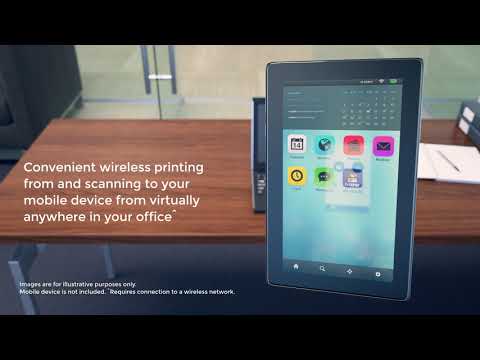
Business monochrome laser all-in-one for offices and small workgroups. Cost-efficient output due to a high-yield 8,000-page replacement toner cartridge (approx. yield based on ISO/IEC 19752). Prints/copies up to 42 ppm. Advanced security features such as network user authentication to help protect against unauthorized access to device. 300-sheet paper capacity, expandable to 1,340-sheet total capacity with optional add-on trays. 50-page capacity auto document feeder scans up to 24 ipm (mono) and offers colour scanning to a variety of destinations. Automatic two-sided printing. Ethernet/wireless networking. Print from/scan to mobile devices over a wireless network. 3.7" colour Touchscreen display with customizable shortcuts.
To learn more about the 'Brother RMFC-L5700DW Refurbished Business Laser Multifunction', download the brochure here.
Main Features
- Fast high-quality printing and copying at up to 42ppm
- 3.7" colour Touchscreen display for easy menu navigation and creation of up to 48 customized shortcuts.
- Easily share with others via built-in wireless or Ethernet networking or print locally via USB interface
- Print from/scan to mobile devices over a wireless network
- Create two-sided output and help save paper with automatic duplex printing
- 250-sheet capacity paper tray adjustable for letter or legal plus a 50-sheet capacity multi-purpose tray for envelopes or alternative media types. Total capacity expandable to 1340 sheets with optional add-on trays
- 50-page capacity auto document feeder for fast scanning up to 24ipm (mono)
- Cost-efficient output thanks to a high-yield 8000-page replacement toner cartridge (approximately yield based on ISO/IEC 19752)
- Fast b/w and colour scanning to a variety of destinations including SharePoint® E-mail network and more
- Advanced security features such as network user authentication to help protect against unauthorized access to device
| Paper Handling Size - Paper Tray | Letter,Legal,Executive,A4,A5 |
| Power - Sleep/Ready/Printing | 8.4W (Deep Sleep: 1.6W)/36W/630W |
| Poster Function | No |
| Duplex Printing | Yes |
| Functions | Print,Copy,Scan,Fax |
| Print Technology | Laser |
| Duplex Printing Capability | Yes |
| N in 1 Function | 2 in 1/4 in 1 |
| ID Copy | Yes |
| Print Resolution (max. dpi) | Up to 1200 x 1200 dpi |
| Max. B&W Print Speed | 42 ppm |
| Barcode Printing | No |
| Secure Print | Yes |
| Recommended Monthly Print Volume (Up to) | 3500 pages |
Carton Contents
| Carton Dimensions (W" x D" x H") | 54.5 x 52.0 x 64.1 cm |
| Carton Weight | 19.8 kg |
| Carton Contents | (1) Toner Cartridge (1) DR820 Drum Unit (yields approximately 30,000 Pages ) Quick Set Up and Basic User's Guide Documentation/Installation CD AC Power Cord Telephone Line Cord |
Copy
| Duplex Copying | No |
| Sorting Function | Yes |
| Copying Capability | B&W and Color Copying |
| Max. B&W Copy Speed | 42 cpm |
Scan
| Interpolated Scan Resolution (dpi) | Up to 19200 x 19200 dpi |
| Duplex Scanning | No |
| Scanner Driver Compatibility | Windows®,Mac OS® |
| Scan To Feature | Cloud (Web Connect),Email,Email Server,File,FTP,Image,Microsoft® SharePoint®,Network Folder (CIFS - Windows® only),OCR,SSH Server (SFTP),USB |
| Automatic Redial | Yes |
| Document Glass Size | Letter |
| Scanning Capability | B&W & Colour Scanning |
| Auto Reduction (for fax receiving) | Yes |
| Colour Scan Bit Depth | 48 bit |
Fax
| Distinctive Ring Ready | Yes |
| Fax Coding Method | JBIG,JPEG,MH,MR,MMR |
| PC Fax Capability (send/receive) | Yes |
| Best Transmission Speed | 2.5 seconds |
| Fax Forwarding | Yes |
| Fax/Telephone Switch | Yes |
| Dual Access | Yes |
| Total Auto Dial Locations | 300 |
| Out-of-Paper Reception | Yes |
| Call Waiting Ready | No |
| Duplex Faxing | No |
| Faxing Capability | B&W Faxing |
| Fax Modem Speed | 33.6K bps Super G3 Fax Modem |
| Document Memory Backup | Yes (Max. 4 days) |
| Caller ID Ready | No |
| External TAD Interface | Yes |
Other
| Formats (Export) | BMP,JPG,PDF,PNG,Secure PDF,TIFF,XPS |
| In-Box Consumables (Yield) | (1) Standard Toner Cartridge (2,000 pages),(1) Drum Unit (30,000 pages) |
| Recommended Paper Brands | Plain Paper: Bond 20 lb, 24 lb, Laser Paper 24 lb, Recycled Paper Bond, Labels: Laser Label |
| Consumable Type | Toner Cartridge & Drum Unit |
| Security Functions | Active Directory,Secure print,Lock slot,Secure function lock |
| Sheet Weight - Paper Tray | 16-32 lb (Bond) |
| Sheet Weight - ADF | 17-24 lb |
| Standard Interface(s) | Ethernet 10/100/1000,Hi-Speed USB 2.0,Wireless 802.11b/g/n |
| Warranty | 1-Year Limited Warranty |
| Paper Handling Size - Multipurpose Tray | Letter,Legal,Executive,A4,A5,A6,Envelopes,Custom Sizes (3.0-8.5" W, 5.0-14" L) |
| Number Of Users | 15 + |
| Unit Weight | 16.4 kg |
| Sheet Weight - Multipurpose Tray | 16-53 lb (Bond) |
| Media Type(s) - Paper Tray | Plain,Recycled,Envelope,Bond,Label |
| Power Source | AC 110V-120V AC 50/60 Hz |
| Unit Dimensions (W" x D" x H") | 43.5 x 42.7 x 48.6 cm |
Hardware Features
| Standard Paper Capacity | 250 Sheet Paper Capacity |
| ENERGY STAR® Qualified | Yes |
| Operating Environment: Humidity | 20-80% (w/out condensation) |
| Optional Paper Capacity | 250 Sheet x 2 Paper Capacity |
| Max. ADF Capacity | 50 sheets |
| Connectivity | Ethernet,Wi-Fi,USB |
| Multipurpose Tray Capacity | 50-sheet multi-purpose tray |
| Max. Monthly Duty Cycle | 50,000 pages |
| LCD Display | Yes |
| Design Style | Flatbed |
| Standard Memory | 256Mb |
| Max. Input of ADF (Width/Height) | 8.5"/14" |
Software Features
| Supported Network Protocols (IPv6) | CIFS Client,Custom Raw Port/Port9100,DNS resolver,FTP Client and Server,HTTP/HTTPS server,ICMPv6,LDAP,LLMNR responder,LPR/LPD,mDNS,NDP,RA,SMTP Client,SNMP v1,SNMP v2c,SNTP Client,TELNET Server,TFTP Client and Server,Web Services (Print/Scan) |
| Brother Cloud Apps | Brother CreativeCenter,Outline & Copy,Outline & Scan,Note Scan,Easy Scan To Email,Office Print,Office Doc Creator |
| Printer Driver Compatibility | Windows®,Mac®,Linux® |
| One-Push Wireless Setup | Wi-Fi Protected Setup™ |
| Reduction/Enlargement | 25%-400% |
| Wireless Network Security | WEP 64/128 bit,WPA-PSK (TKIP/AES),WPA2-PSK (AES) |
| Emulation(s) | BR-Script3,IBM Proprinter,Epson FX,PCL6,PDF Version 1.7,XPS Version 1.0 |
| Supported Network Protocols (IPv4) | APIPA (Auto IP),ARP,BOOTP,CIFS Client,Custom Raw Port/Port 9100,DHCP,DNS Resolver,FTP Client and Server,HTTP/HTTPS server,ICMP,IPP/IPPS,LDAP,LLMNR responder,LPR/LPD,mDNS,POP3,RARP,SMTP Client,SNMP v1,SNMP v2c,SNMP v3,SNTP Client,TELNET Server,TFTP client and server,Web Services (Print/Scan),WINS/NetBIOS name resolution |
| Document Viewer Software | Includes Scansoft PaperPort® SE with OCR for Windows® and Presto!® PageManager® for Mac® |
Drums
- Item #:
- DR820
- Item #:
- DR820
Toner
Brother TN850 Black Toner Cartridge, High Yield
- Item #:
- TN850
Brother TN850 Black Toner Cartridge, High Yield
- Item #:
- TN850
General
Downloads & Documents
Downloads & Drivers
Get Downloads & Drivers for this Product from the Brother Solutions Centre
Find Downloads & Drivers Download iPrint&Scan App
Manuals & Documents
Get Downloads & Drivers for this Product from the Brother Solutions Centre
Download Manuals & DocumentsProduct Brochure
Everything you want to know about your product is available in PDF.
Download Product Brochure


Downloads & Documents
Downloads & Drivers
Get Downloads & Drivers for this Product from the Brother Solutions Centre
Find Downloads & DriversDownload iPrint&Scan AppManuals & Documents
Get Downloads & Drivers for this Product from the Brother Solutions Centre
Download Manuals & DocumentsProduct Brochure
Everything you want to know about your product is available in PDF.
Download Product BrochureWarranty
1-Year Limited Warranty
Return Policy
You can return any Brother machine purchased on brother.ca within 30 days of purchase as long as it’s unopened, intact and has a valid Return Material Authorization (RMA) number.* Contact us so that we can assess the best solution for you, either by providing you with a different machine, helping with the setup or issuing an RMA. Any shipping costs are at your expense. However, if we determine that the machine is defective—or if we’re otherwise responsible—we’ll be happy to arrange a pickup at our expense. Once we’ve inspected the return, we’ll refund your credit card.
If your machine was not purchased from brother.ca, simply let us know and we’ll do our best to find a solution.
To contact us through Ask a Question click here: https://support.brother.ca/app/ask








 Your product has been added to your cart